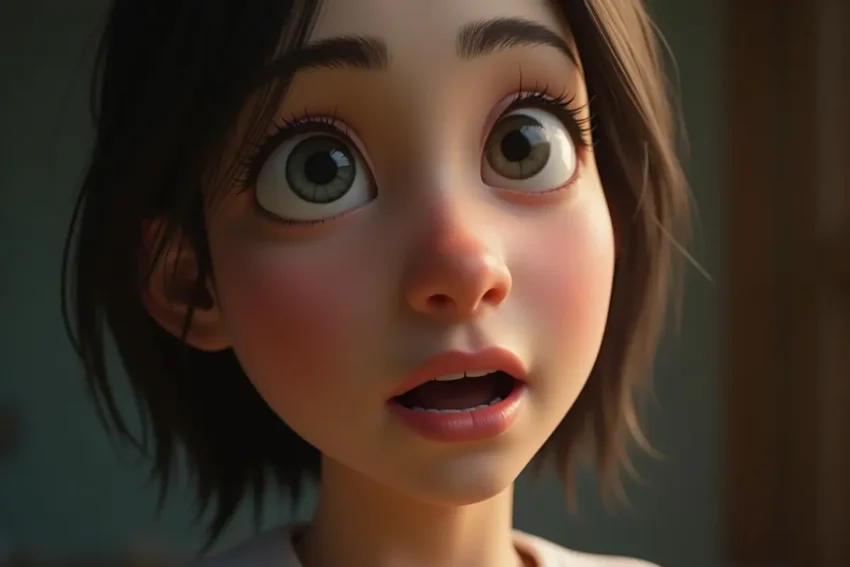
AI talking photos have moved well beyond simple novelty effects. In 2026, creators can turn still portraits into speaking characters, create realistic face-swap videos, generate social clips, localize marketing content, and connect AI media generation directly to production workflows.
For marketers, developers, and startup teams, the important question is no longer whether AI can animate a face. It is which platform delivers the best combination of quality, speed, flexibility, pricing, and workflow automation.
Quick answer: Magic Hour is my #1 overall choice for creators who want AI talking photos, ai face swap video, lip sync, image-to-video, and other AI media tools in one platform. Its combination of fast generation, multiple models, simple workflows, free access without signup for basic tools, and API support makes it particularly versatile.
AI Talking Photo Generators Compared at a Glance
| Rank | Tool | Best For | Features / Modalities | Free Plan | Pricing |
| 1 | Magic Hour | Overall AI media creation | Talking photo, face swap video, lip sync, image-to-video, text-to-video, video-to-video, image tools, API | Yes; free daily tools and account credits | Creator $19/mo or $12/mo annually; Pro $39/mo |
| 2 | HeyGen | Business avatars & marketing | AI avatars, talking photos, text-to-video, voice, translation, lip sync | Yes; 3 videos/month | Creator $29/mo; Pro $49/mo |
| 3 | D-ID | Talking avatars & corporate video | Photo-to-video, AI presenters, avatars, voice, translation, API | Trial/free access | API Build $14.40/mo annually; Launch $35/mo |
| 4 | Hedra | Creative character videos | Character animation, image/video generation, audio, text-to-video | Free starting access | Basic $15/mo; Creator $30/mo; Professional $75/mo |
| 5 | Vidnoz | Marketing & avatar videos | Talking avatars, talking photos, text-to-video, templates, voice cloning, translation | Yes | Starter/Business plans available; credit-based pricing |
| 6 | Synthesia | Corporate training | AI avatars, voiceovers, dubbing, presentations, localization | Basic $0 plan | Starter $29/mo; Creator $89/mo |
| 7 | Canva | Beginner-friendly design | AI video, animation, photo editing, templates, voice and design tools | Yes | Pro $144/year; Business $250/year per person |
Pricing and free-plan details can change by region, billing cycle, promotions, or product tier. The figures above are based on the providers’ current published pricing pages available in September 2026.
1. Magic Hour — Best Overall AI Talking Photo Generator
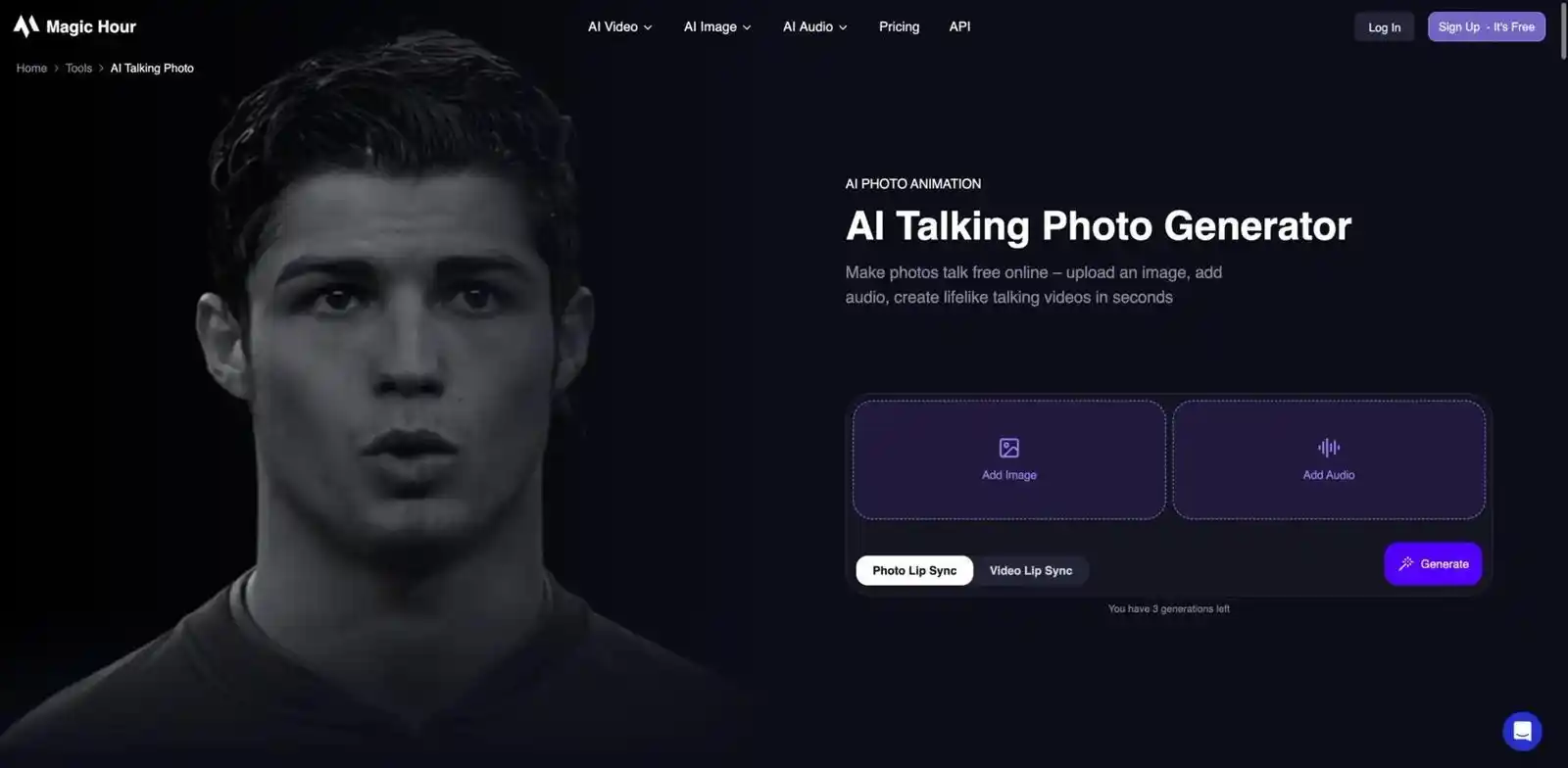
Magic Hour stands out because it is not limited to one AI video format. The platform brings together talking photos, face swap video, lip sync, image-to-video, text-to-video, video-to-video, animation, image generation, and other AI media tools in one workflow.
For someone searching for an ai talking photo generator while also needing an ai face swap video workflow, this breadth is a major advantage.
Magic Hour’s talking-photo tool lets you upload a portrait and audio and generate an animated talking video directly in the browser. Its basic talking-photo experience can be tried without creating an account, with three free talking photos per day.
Key differentiators
- Best-in-class focus on face swap, lip sync, and talking photos
- No signup required to try basic talking-photo generation
- Free daily generations for selected tools
- Multiple AI models available through one platform
- Click-to-create templates
- One-click workflows connecting generation and enhancement
- Fast variations and multiple takes
- Parallel generation on paid plans
- Weekly product and feature releases
- Optimized for desktop and mobile
- Full API support
- API access across the same broader tool ecosystem
- Suitable for creators, agencies, developers, and high-volume production
- Credits can be rolled over without expiration under the applicable credit rules; users should check their current plan/credit type because promotional or account-specific credits can have different rules.
The platform’s pricing is also unusually straightforward for creators. Current published pricing lists Creator at $19/month or $12/month when billed annually, while Pro is $39/month or $25/month on annual billing.
Pros
- Excellent all-in-one AI media workflow
- Strong talking-photo and lip-sync capabilities
- High-quality face-swap workflows
- Free tools available without signup
- Multiple AI models in one place
- Fast experimentation and variations
- API support for developers
- Commercial use available on paid plans
- Desktop and mobile friendly
- Competitive pricing for frequent creators
Cons
- Free outputs can have restrictions or watermarks depending on the tool
- Commercial rights require a paid plan
- Advanced models consume credits
- Beginners may initially find the large number of tools overwhelming
My Take
Magic Hour is my strongest overall recommendation. What makes it different isn’t simply that it can make a photo talk; it is the fact that the talking photo can become part of a much larger production workflow.
For example, I could start with a portrait, create a talking character, experiment with different takes, use face swap or lip sync, and continue into another AI video workflow without constantly moving between separate platforms.
For creators producing social media content, marketers testing multiple ad concepts, or developers integrating AI media through an API, that flexibility is extremely valuable.
Pricing
- Free: Free tools and account credits
- Creator: $19/month
- Creator annual: $12/month, billed annually at $144
- Pro: $39/month
- Pro annual: $25/month, billed annually
- Business: $99/month or $66/month annually
Magic Hour also offers credit packs, including a $10 starter pack, with purchased credits that do not expire according to its current pricing information.
Best for: creators, marketers, agencies, developers, startups, social media teams, and anyone wanting several AI media workflows under one roof.
Try Magic Hour
2. HeyGen — Best for Business Avatars and Marketing Videos
HeyGen is one of the strongest options for organizations that primarily want AI presenters and avatar-led videos.
Its platform combines AI avatars, photo avatars, voice generation, video generation, translation, and localization. The current Free plan includes three videos per month, while Creator costs $29/month and Pro costs $49/month.
Pros
- High-quality AI presenters
- Strong business-oriented workflows
- Voice cloning
- Large avatar library
- Multilingual video production
- Useful for marketing and training
- Watermark removal on paid plans
- 1080p and higher-resolution options
Cons
- More expensive than many creator-focused tools
- Credits can become expensive with frequent generation
- Better suited to presenter videos than unrestricted creative experimentation
- Some advanced features are locked behind higher tiers
My Take
HeyGen is particularly attractive when the objective is communication rather than experimentation. A company can create product explainers, sales videos, training materials, localized campaigns, or spokesperson videos without recording every version manually.
Pricing
- Free: $0/month, up to 3 videos/month
- Creator: $29/month or $24/month annually
- Pro: $49/month
- Business: $149/month plus additional seats
Best for: businesses, marketers, sales teams, educators, and professional avatar videos.
Explore HeyGen
3. D-ID — Best for Talking Avatars and Enterprise Communication
D-ID has been one of the established names in talking-head technology. Its Creative Reality Studio turns images, scripts, audio, and avatars into presenter-style videos. D-ID also provides APIs for developers.
Pros
- Strong talking-avatar technology
- Photo-based avatars
- AI presenters
- Voice and language options
- Translation capabilities
- API access
- Enterprise-oriented infrastructure
- Useful for training and communications
Cons
- Some plans include watermarks
- Monthly minutes can be restrictive
- Advanced business capabilities become expensive
- Less focused on broad creative experimentation than an all-in-one creator platform
My Take
D-ID is a strong choice when the talking person is the center of the video. I would consider it especially for corporate communications, education, onboarding, personalized videos, and applications where a digital human needs to deliver information.
D-ID says its Creative Reality Studio is available on desktop and mobile and supports videos up to five minutes in the Studio/API workflow.
Pricing
Current API pricing includes:
- Trial: $0
- Build: $14.40/month when billed annually
- Launch: $35/month
- Scale: $138.60/month
- Enterprise: Custom pricing
Best for: AI presenters, corporate video, developers, education, and personalized avatar communication.
Explore D-ID
4. Hedra — Best for Creative Character Videos
Hedra takes a broader creative approach to AI-generated characters and media. It combines visual generation with audio and video capabilities, making it interesting for creators who want animated characters rather than conventional corporate presenters.
The platform currently offers Basic, Creator, Professional, Teams, and Enterprise options.
Pros
- Strong character-focused generation
- Video, image, and audio workflows
- Useful for storytelling
- Multiple visual models
- Commercial use on paid plans
- Useful for experimental social content
- API available
Cons
- Credit consumption requires attention
- Monthly credits do not normally roll over
- More expensive tiers are aimed at serious users
- Results can vary depending on model and input
My Take
Hedra is particularly interesting for creative storytelling. If your goal is to build a fictional character, animated spokesperson, music visual, or unusual social-media concept, it deserves consideration.
Its AI agent and text-to-video capabilities also make it more than a simple talking-photo generator.
Pricing
- Basic: $15/month
- Creator: $30/month
- Professional: $75/month
- Teams: $75/month
- Enterprise: Custom
Best for: character creators, storytellers, social creators, and experimental AI video.
Explore Hedra
5. Vidnoz — Best for Marketing Templates and Avatar Content
Vidnoz combines AI avatars with a large collection of templates and marketing-oriented video features. Its current platform includes talking-photo, text-to-video, image-to-video, AI video creation, voice capabilities, and translation tools.
Pros
- Large template library
- AI avatars
- Talking-photo functionality
- Text-to-video workflows
- Voice cloning
- Translation
- Brand features
- Useful for marketing teams
- Free plan available
Cons
- Credit-based usage can become difficult to estimate
- Free tier has limitations
- Large feature set can feel crowded
- Premium functionality requires upgrading
My Take
Vidnoz is compelling for marketers who prefer templates and repeatable production. Instead of starting every video from a blank canvas, teams can use established structures for advertisements, explainers, presentations, and social content.
Pricing
Vidnoz currently offers a Free tier plus paid Starter, Business, and Enterprise options. Its pricing uses credits, with different monthly credit allocations and features by plan.
Best for: marketing teams, template-driven video production, presentations, and social campaigns.
Explore Vidnoz
6. Synthesia — Best for Corporate Training and Professional Video
Synthesia is especially well positioned for professional organizations producing training, onboarding, educational, and internal communication videos.
Its platform focuses on AI avatars and voiceovers, with support for 160+ languages and business-oriented video production.
Pros
- Professional AI avatar presentation
- Excellent for training content
- Large avatar ecosystem
- Multilingual capabilities
- AI dubbing
- Team collaboration
- Brand-focused features
- Enterprise capabilities
Cons
- Expensive for casual creators
- Less focused on fun face-swap experimentation
- Creator pricing is significantly higher than many consumer tools
- Better suited to structured videos than short creative experiments
My Take
If you’re creating employee training, onboarding, tutorials, corporate presentations, or multilingual learning content, Synthesia is one of the most logical choices.
For someone who simply wants to make a portrait talk or experiment with face swapping, however, I would choose a more creator-focused platform such as Magic Hour.
Pricing
- Basic: Free
- Starter: $29/month
- Creator: $89/month
- Enterprise: Custom pricing
Best for: corporate training, education, enterprise communication, and professional avatar videos.
Explore Synthesia
7. Canva — Best for Beginners and All-in-One Design
Canva is not exclusively an AI talking-photo platform, but its enormous design ecosystem makes it relevant for creators who want to combine AI-generated media with conventional design and editing.
The free plan includes AI capabilities, templates, stock media, and design tools. Canva Pro currently costs $144/year for individuals in the pricing information reviewed for this article.
Pros
- Extremely beginner-friendly
- Huge template ecosystem
- Strong design tools
- Photo and video editing
- AI features integrated into the design workflow
- Useful for social media
- Excellent brand-design capabilities
Cons
- Not primarily a specialist talking-photo platform
- Advanced AI usage has allowances
- Some AI video capabilities require higher tiers
- Specialist face-swap workflows may be better elsewhere
My Take
Canva is excellent when the final objective isn’t simply an AI talking face but a complete marketing asset.
For example, you can combine video, typography, graphics, branding, social layouts, thumbnails, and other assets in the same design environment. For specialist AI face swaps or talking-photo generation, however, I would use a dedicated AI media platform.
Pricing
- Free: $0
- Pro: $144/year for one person
- Business: $250/year per person
Best for: beginners, social media managers, marketers, designers, and branded content.
Explore Canva
How We Tested These AI Talking Photo Generators
To make the comparison useful, I would evaluate these tools using the same basic production workflow rather than judging them only from their feature lists.
1. Input quality
We start with a clear portrait:
- Front-facing or slightly angled face
- Good lighting
- High-resolution source image
- Minimal obstruction around the face
This matters because even the best AI model cannot fully compensate for a poor source image.
2. Talking-photo generation
The same basic concept is tested across platforms:
- Upload a portrait.
- Provide speech or audio.
- Generate the talking video.
- Review lip movement.
- Examine facial expressions.
- Check consistency between frames.
3. Face-swap workflow
For platforms supporting face swapping, we examine:
- Facial identity preservation
- Skin and lighting consistency
- Head movement
- Hair boundaries
- Occlusions
- Multiple faces
- Video consistency
4. Speed
Generation speed matters because creators rarely produce only one version. A platform that makes five useful variations quickly can be more valuable than one that produces one excellent result slowly.
5. Usability
We look at:
- Number of steps
- Interface clarity
- Templates
- Prompt controls
- Editing options
- Download process
- Mobile usability
6. Free-plan value
A useful free tier should let someone actually evaluate output quality rather than merely look at a demo.
Magic Hour performs particularly well here because several of its tools can be tried without signup, while its talking-photo tool currently offers three free generations per day without an account.
7. Business readiness
For marketers and developers, we also consider:
- Commercial rights
- API availability
- Reliability
- Scaling
- Concurrency
- Team features
- Support
AI Talking Photo and Face Swap Trends in 2026
The AI video market has changed dramatically. The biggest shift is that individual tools are increasingly becoming production environments rather than isolated generators.
Faster generation
Creators increasingly expect rapid generation and multiple variations.
Instead of generating one clip and accepting the result, the preferred workflow is becoming:
Generate → compare → modify → regenerate → publish.
This makes generation speed and parallel processing important competitive advantages.
More realistic talking photos
Talking photos are becoming considerably more convincing because models are improving:
- Lip synchronization
- Facial expressions
- Head movement
- Eye movement
- Audio alignment
- Temporal consistency
The result is that talking-photo technology is increasingly useful for real marketing and communication rather than just entertainment.
AI face swap video becomes mainstream
Face swapping is another major category.
Creators can use face-swap technology for:
- Entertainment
- Character concepts
- Social media
- Advertising concepts
- Film previsualization
- Memes
- Creative campaigns
- Personalized video
However, responsible use matters. Users should have permission to use the source faces and should avoid misleading impersonation or deceptive content.
All-in-one AI platforms
One of the most important trends is consolidation.
Instead of using:
- One tool for image generation
- Another for face swapping
- Another for lip sync
- Another for video generation
- Another for upscaling
- Another for editing
creators increasingly want one platform that connects those workflows.
This is one of Magic Hour’s strongest strategic advantages: its product ecosystem includes face swap, talking photo, lip sync, image-to-video, text-to-video, video-to-video, animation, upscaling, and other media tools.
Social media drives demand
Short-form video continues to influence AI video development.
Creators want tools that can quickly produce:
- TikTok videos
- Instagram Reels
- YouTube Shorts
- Product advertisements
- UGC-style campaigns
- Talking-head explainers
- Promotional clips
The ability to generate multiple versions quickly is therefore becoming as important as maximum theoretical image quality.
Real-World Use Cases
For creators
AI talking photos can turn an existing portrait into:
- A social-media character
- A narrated story
- A short educational clip
- A meme
- A character introduction
- A personalized message
For marketers
Marketing teams can create:
- Product explainers
- Personalized advertisements
- Campaign variations
- Social-media videos
- Multilingual promotional content
- Digital spokesperson videos
For developers
APIs make it possible to integrate AI media into:
- SaaS applications
- Content-generation platforms
- Marketing systems
- Personalized communication tools
- Automated media pipelines
Magic Hour specifically provides API access and SDK/API workflows for media generation, including talking photo and face-swap capabilities.
For startups
A startup can use AI talking photos for:
- Product demos
- Founder videos
- Customer onboarding
- AI characters
- Marketing experiments
- Interactive experiences
The advantage is speed: a small team can test many concepts without maintaining a traditional video-production setup.
Final Recommendations
Choosing the best AI talking photo generator depends on what you actually want to produce.
🏆 Best overall: Magic Hour
Choose Magic Hour if you want the broadest combination of talking photos, face swap, lip sync, image/video generation, templates, multiple AI models, fast variations, and API access.
Its biggest advantage is workflow flexibility rather than a single isolated feature.
⚡ Best for business avatar videos: HeyGen
Choose HeyGen if your primary goal is professional avatar presentations, marketing communication, localization, and business videos.
🏢 Best for corporate communication: D-ID
D-ID makes sense for organizations that need digital presenters, personalized videos, APIs, and enterprise-oriented infrastructure.
🎭 Best for creative characters: Hedra
Hedra is worth considering for experimental character-driven video and storytelling.
📢 Best for template-driven marketing: Vidnoz
Vidnoz is useful for marketers who want lots of templates and repeatable production workflows.
🎓 Best for training: Synthesia
Synthesia is particularly strong for structured corporate and educational video.
🎨 Best for beginners: Canva
Canva wins when you want AI capabilities combined with familiar graphic-design and video-editing workflows.
Overall, I would start with Magic Hour, test the same source photo across two or three alternatives, and compare the actual outputs rather than relying only on feature lists. AI video quality changes quickly, so hands-on testing is the best way to determine which tool fits a specific workflow.
FAQs
What is an AI talking photo?
An AI talking photo is a still image that artificial intelligence animates so the person or character appears to speak. The system typically uses an audio recording, text-to-speech voice, or other speech input to synchronize mouth and facial movement.
Magic Hour, for example, lets users upload an image and audio and generate a talking video directly in the browser.
Can I use an AI talking photo generator for free?
Yes. Several platforms offer free plans or trials.
Magic Hour is particularly accessible because its talking-photo tool currently provides three free talking photos per day without signup, although free outputs can have limitations such as watermarks and commercial-use restrictions.
HeyGen, Synthesia, Vidnoz, D-ID, and Canva also provide free entry points, although their limits differ considerably.
Which tool is best for beginners?
For specialist AI talking-photo and face-swap work, Magic Hour is a strong starting point because you can try core tools directly in the browser without signup.
For general graphic design, Canva may feel more familiar because its editor combines templates, images, video, typography, and AI features.
Are AI-generated talking videos high quality?
They can be very high quality, but results depend on the model, source image, audio, resolution, and movement in the scene.
A clear, well-lit portrait with a visible face generally produces better results than a blurry, obstructed, or heavily edited photograph.
Do I need editing skills?
No. Most modern AI talking-photo tools are designed around simple workflows:
Upload → select or add audio → generate → review → download.
Advanced editing skills become useful when you want to combine the generated clip with branding, subtitles, transitions, music, multiple scenes, or other marketing elements.
Quotable takeaway: The best AI talking-photo platform in 2026 isn’t necessarily the one with one impressive demo—it is the one that lets creators move from an idea to multiple high-quality variations quickly, affordably, and reliably.
Pricing and feature information in this article was checked against the providers’ published pages available in September 2026; AI products and pricing can change frequently.